A drawing says MJF. The quote is set to SLS. Both use nylon, but the process choice still matters. Forge Labs’ drawing reconciliation helps bring differences like this to your attention while you configure your 3D printed parts.
Your drawing has more to say than your CAD file
The model defines the shape. The drawing adds the details that make that shape useful: a specified printing process, a critical fit, threaded features, or a finishing note. When those instructions sit in a separate PDF, it is easy to select a quote option without noticing that it differs from the drawing.
Drawing reconciliation is now part of the Forge Labs customer quoting experience. It reads supported callouts from an attached technical drawing and compares relevant requirements with your part configuration. Findings give you a place to review differences, apply supported requirements, and clarify details before submitting your order.
For customers ordering additive manufacturing parts, the benefit is practical: less retyping of supported callouts and a clearer view of the questions that need attention before production.
From PDF to a more informed quote
1. Attach the drawing to the part it describes
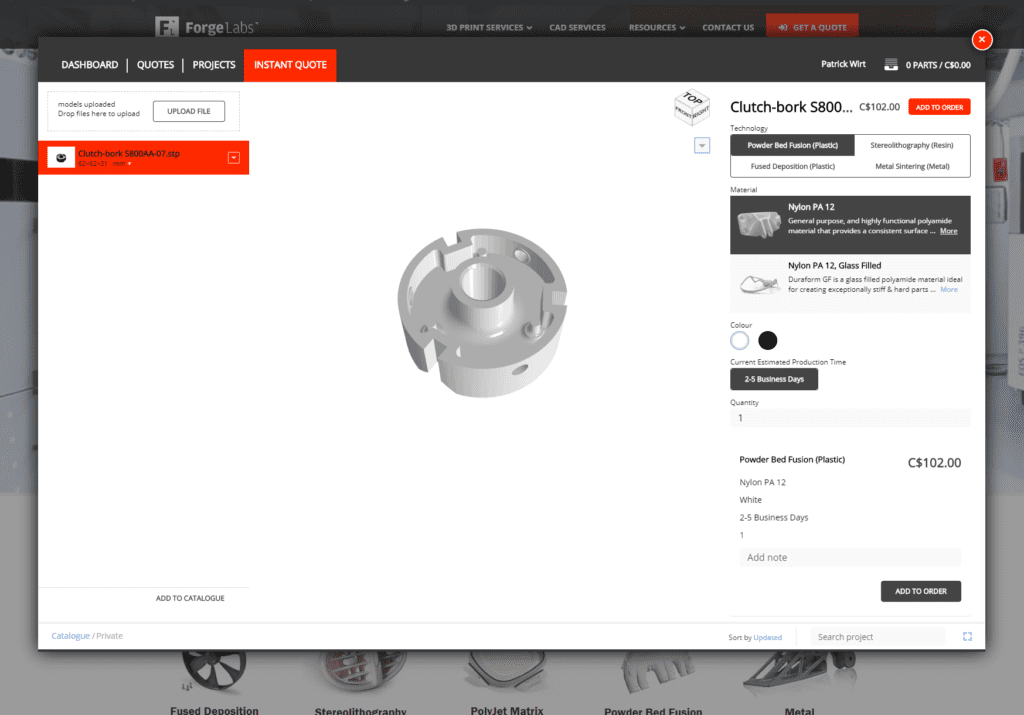
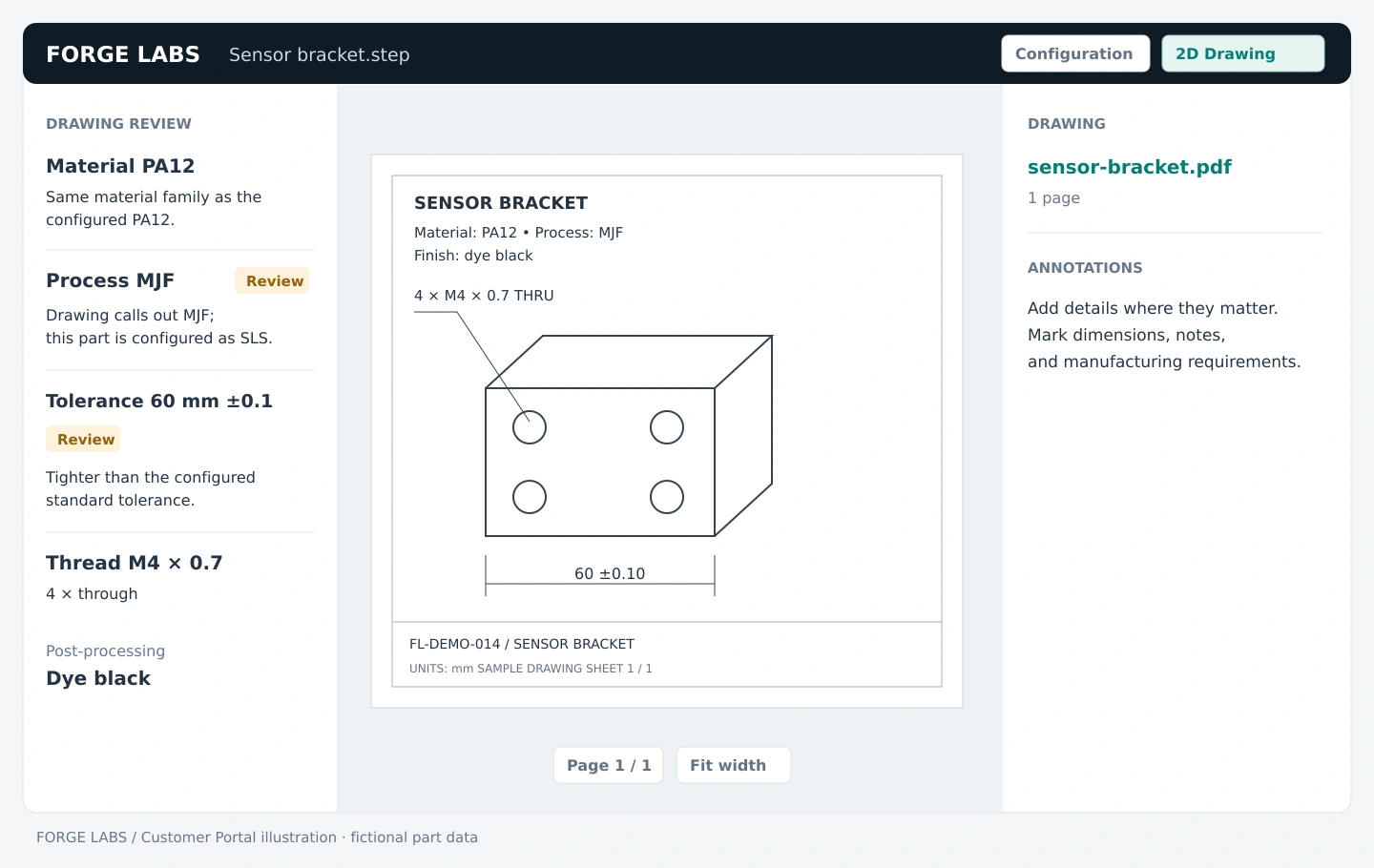
Start with your CAD file in the Forge Labs quote flow, then attach the corresponding PDF through Technical Drawing. Open 2D Drawing to review the sheet in context. Use a legible drawing and check that it describes the CAD revision you intend to order.
Consider the sample sensor bracket above. Its drawing calls for PA12, MJF, a black dyed finish, four threaded holes, and a dimension of 60 ±0.10 mm. Each detail answers a different manufacturing question; having the correct material alone does not settle the others.
2. See where the drawing and configuration differ
The drawing review lists supported findings, including material and process callouts, dimensional tolerances, threads, inserts, and post-processing requirements. Where the relevant comparison is available, it shows how those findings relate to your current choices.
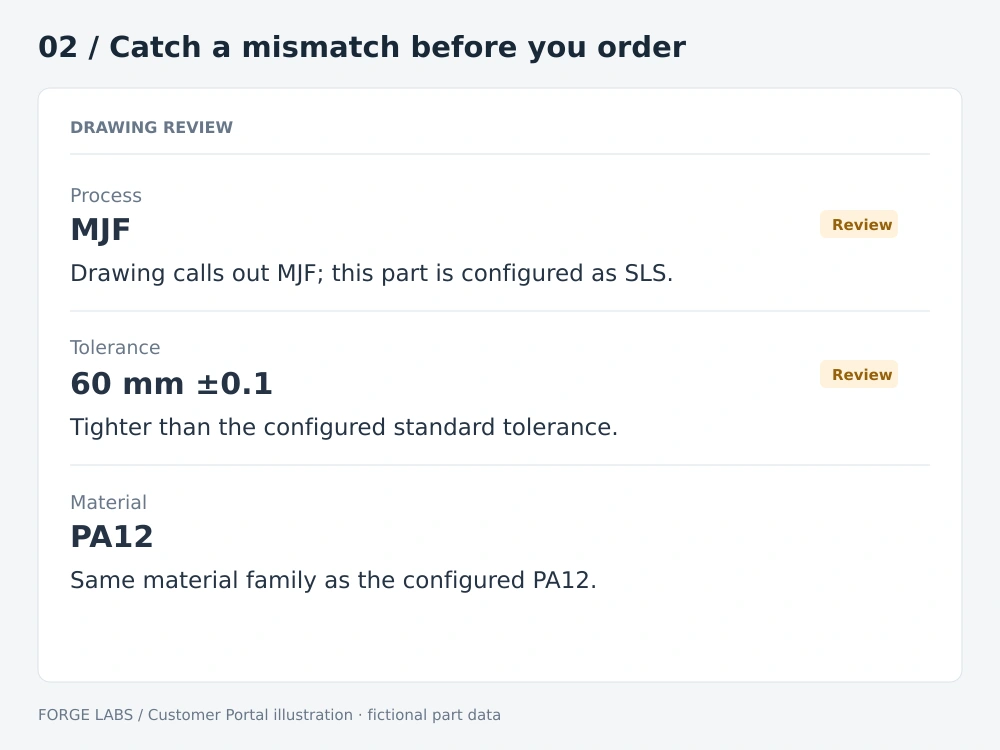
In this example, the material family agrees, but the process does not. You can return to configuration and select the intended process, or clarify an intentional change with Forge Labs. A match at the material-family level is useful context; it is not confirmation that every grade or performance requirement has been met.
The tolerance finding raises a different question. A requirement tighter than the configured standard deserves review with our team. It may affect the manufacturing approach or require further discussion. Detecting that requirement does not automatically make it an accepted production tolerance.
3. Apply supported requirements without retyping every detail
In configuration, supported thread, insert, and finishing suggestions appear alongside the relevant options. Review the detected detail, then use Apply to add it. Suggestions also have a Dismiss action, so you stay in control of what you configure.
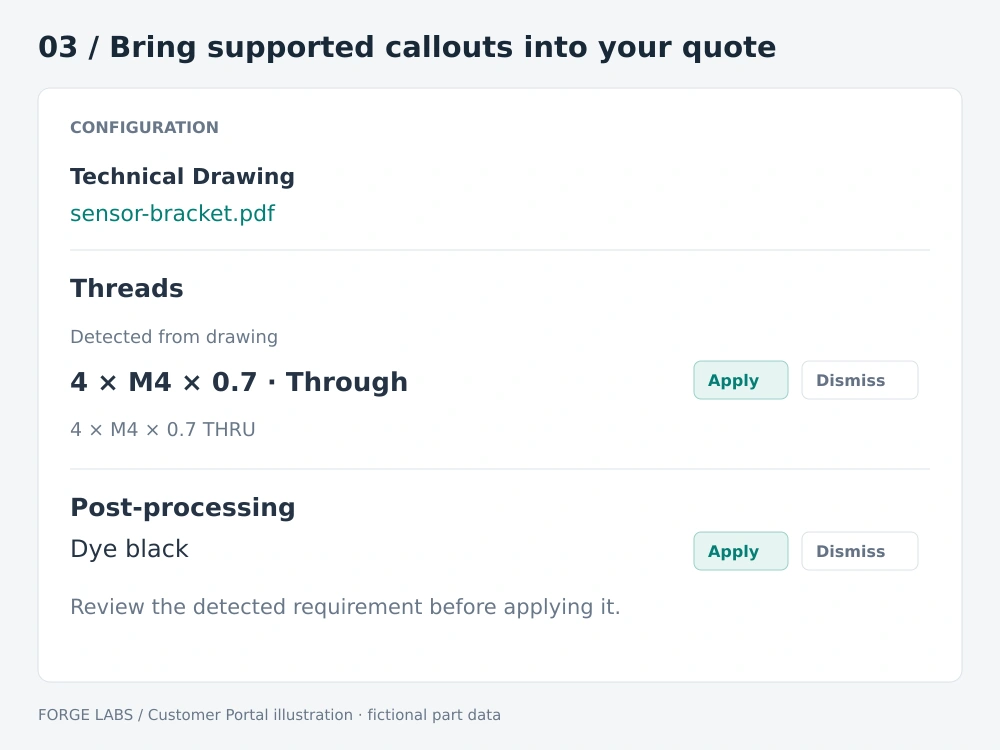
For the bracket, that means reviewing the four M4 threaded holes and the black dye requirement where those options are configured. You can also annotate the drawing to show where a requirement belongs or explain a detail that needs human attention. The drawing remains a shared reference for you and the Forge Labs team.
Built around additive manufacturing decisions
Drawing review is especially useful when a part moves between printing processes or when a drawing carries requirements from an earlier design. A familiar material name can sit alongside a process note, finish, or tolerance that needs a second look.
The Portal can compare supported tolerance callouts with the configured process and material standard. It can also surface supported Ra surface-roughness callouts against available typical process ranges. These are prompts for an informed review, rather than promises about the result of a particular build.
If you are weighing process choices, our 3D printing technology guide explains the options. Our additive manufacturing design guide provides further context for preparing a part for production.
What still needs your review?
Automated extraction can miss or misinterpret drawing content. Check the findings against the original sheet, especially when text is unclear, symbols are complex, or a requirement is unusual. An empty findings list does not mean that the drawing contains no requirements.
Drawing reconciliation is a check of supported drawing requirements and quote choices. It does not certify that every 2D dimension agrees with the 3D model, replace a full GD&T review, or approve a special requirement for manufacturing. Keep the CAD and drawing aligned, and discuss critical fits, finishes, and unresolved differences with our team before ordering.
A clearer handoff, starting with your next part
Drawing reconciliation brings a useful conversation forward: does this quote reflect the part you intend to receive? By putting detected requirements beside your drawing and configuration, Forge Labs makes that question easier to answer while your quote is still taking shape.
It is part of our broader online 3D printing quoting experience, connecting your files, manufacturing choices, and review in one place.